
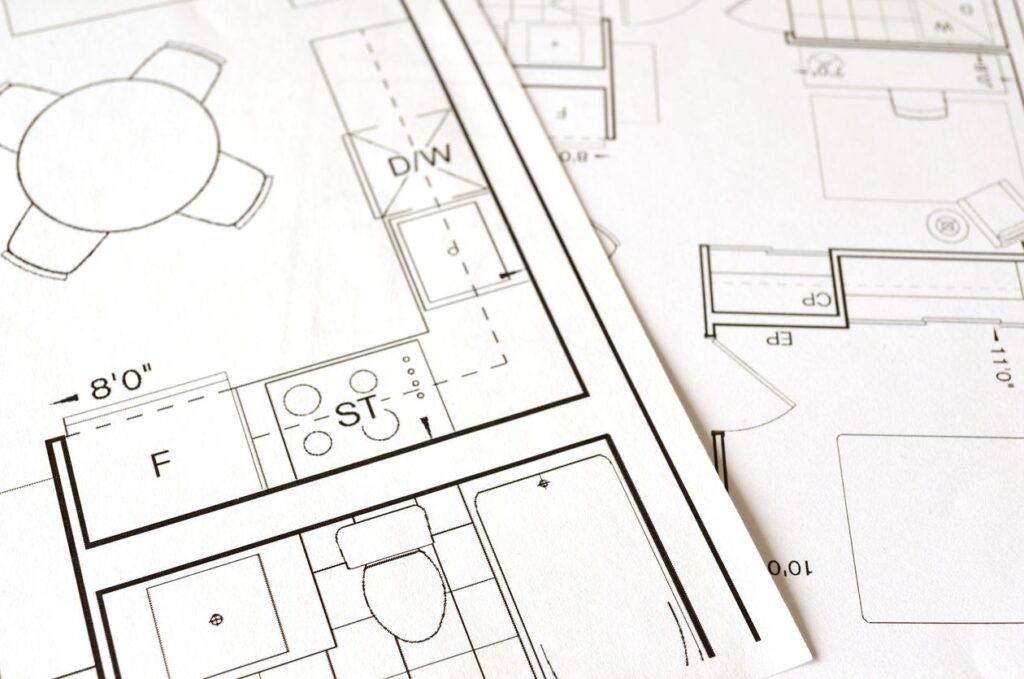
You spent last week building Dart classes, and now you have a Circle and a Rectangle that both know how to compute their own area. Then a new job lands: draw every shape on screen, and to do that the drawing code needs to ask each shape for its area without caring which shape it is. The tempting move is a plain Shape base class that everything extends. But a plain base class lets someone write Shape() on its own, an empty shape with no area that compiles fine and crashes later. A Dart abstract class is a better tool for this: it is a blueprint that cannot be built on its own and forces every subclass to fill in the parts that matter. By the end of this post you will be able to write a Dart abstract class, force subclasses to implement its methods, and tell an abstract class apart from an interface.
What a Dart abstract class actually does
An abstract class is a class you mark with the abstract keyword so that nobody can create an instance of it directly. It exists to be extended, not used on its own. Inside it you can declare an abstract method, which is a method with a name and a return type but no body, just a semicolon where the code would go. That method is a promise: any real class built from this blueprint has to provide one. Here is the smallest version worth showing, a shape that insists every kind of shape can report its area.
abstract class Shape {
  double area();
}

class Circle extends Shape {
  double radius;

  Circle(this.radius);

  @override
  double area() => 3.14159 * radius * radius;
}

void main() {
  var c = Circle(5);
  print(c.area()); // 78.53975
}
The abstract keyword on Shape is doing the real work. Notice double area(); with nothing after it, no braces, no return. That is the abstract method, and it says every shape owes you an area. Then Circle extends Shape pays that debt with a concrete area() that actually computes something. Run it and you get 78.53975, which is 3.14159 times the radius squared. The @override annotation is not required, but it tells Dart and the next reader that you meant to fill in a method the parent declared. Now try to skip the subclass and build a raw shape:
var s = Shape(); // Error: The class 'Shape' is abstract and can't be instantiated.
Dart stops you before the program even runs. That is the guarantee an abstract class buys you: there is no such thing as a bare Shape floating around with no area, because the language refuses to make one.
An abstract class is a blueprint. You can build from it, but you can never hand someone the blueprint and call it a house.
Forcing subclasses to fill in the blanks
The reason this matters more than a plain base class is the compiler check. When you extend an abstract class, Dart makes you implement every abstract method before it will let the class compile. You cannot forget. An abstract class can also carry concrete methods, ones with a real body, that every subclass inherits for free. That mix is where abstract classes earn their keep: the abstract parts are the blanks each subclass must fill, and the concrete parts are the shared behavior you write once.
abstract class Shape {
  double area();

  // A concrete method every shape inherits
  String describe() => 'This shape covers ${area().toStringAsFixed(2)} square units.';
}

class Rectangle extends Shape {
  double width;
  double height;

  Rectangle(this.width, this.height);

  @override
  double area() => width * height;
}

void main() {
  var r = Rectangle(4, 3);
  print(r.describe()); // This shape covers 12.00 square units.
}
Look at what Rectangle had to do and what it got for free. It filled in area(), because that method is abstract and the compiler demands it. But it never wrote describe(), and yet r.describe() works, printing This shape covers 12.00 square units. That method lives on the abstract parent, calls the child’s area(), and every shape you ever write inherits it unchanged. Now watch what happens the moment you forget an abstract method:
class Triangle extends Shape {
  // no area() method here
}
The Dart analyzer flags it before you can run anything:
Missing concrete implementation of 'Shape.area'.
Try implementing the missing method, or make the class abstract.
That error is the whole point. A plain base class would let Triangle compile with a broken or missing area and blow up later, probably in front of a user. The abstract class turns a runtime surprise into a compile-time nag you fix in ten seconds. In CIS225 this is usually the moment students stop trusting themselves to remember every method and start letting the compiler keep the list.

Abstract classes versus interfaces and the implements keyword
Here is the part that trips up almost everyone coming from another language. Dart does not have a separate interface type the way Java does. Instead, every class already doubles as an interface, and you plug into it with the implements keyword instead of extends. The difference is real and worth getting straight. When you extends a class, you inherit its code. When you implements a class, you inherit none of its code and promise to rewrite every one of its methods yourself. That sounds like extra work, and it is, but it is exactly what you want when two unrelated classes need to share a shape without sharing a family tree.
// Any class can be used as an interface
class Printable {
  void printLabel() {}
}

class Invoice implements Printable {
  double total;
  Invoice(this.total);

  @override
  void printLabel() => print('Invoice total: \$$total');
}

class ShippingLabel implements Printable {
  String address;
  ShippingLabel(this.address);

  @override
  void printLabel() => print('Ship to: $address');
}

void main() {
  List<Printable> items = [Invoice(49.99), ShippingLabel('12 Oak St')];
  for (var item in items) {
    item.printLabel();
  }
}
An Invoice and a ShippingLabel have nothing to do with each other, but both promise they can printLabel(), so a single loop can treat them the same. Run it and you see two lines:
Invoice total: $49.99
Ship to: 12 Oak St
Notice that printLabel() had a body in Printable, and both classes still had to write their own from scratch. That is the tell between the two keywords: implements ignores the parent’s code entirely and only borrows its shape. If you had used extends Printable instead, the subclasses would have inherited that empty printLabel() and printed nothing. Dart 3 added modifiers like interface class and abstract interface class that let a library author spell out which role a class is meant to play, but you do not need any of that to start. Reach for implements when you want the contract without the code, and extends when you want both.
Extends borrows the parent’s code. Implements borrows only its promises and makes you write the code yourself.
When to use a Dart abstract class, and when a plain class is fine
The trap here is the same one that catches people with getters and setters: you learn a tool and start bolting it onto everything. Not every base class needs to be abstract. Use an abstract class when you have a real family of things that all share a contract but each fill it differently, and when it would be a bug to create the base type on its own. A Shape with no area is nonsense, so Shape earns the abstract keyword. But if your base class is a perfectly usable thing in its own right, and you sometimes want to create it directly, leave it as a plain class. A plain Vehicle that you occasionally instantiate on its own does not need to be abstract just because trucks and cars extend it.
The quick test I give students is this: ask whether creating the base type alone would ever make sense. If the answer is no, if a bare instance would be an empty promise waiting to crash, make it abstract and let the compiler enforce that nobody builds one. If the answer is yes, keep it concrete and let inheritance do its normal job. Abstract classes are a way to say “this idea is real but always incomplete,” and that is a specific claim, not a default. When it fits, it turns a class of runtime bugs into errors you cannot ignore. The same rule that governs Dart mixins and inheritance applies here: add structure when the problem asks for it, not before.

Your next step
Here is the short version worth keeping. An abstract class is a blueprint you mark with abstract so nobody can instantiate it directly, and its abstract methods are blanks every subclass must fill before the code will compile. It can also hold concrete methods that all subclasses inherit for free, which is how you share behavior once instead of copying it. And when you want the shape of a class without its code, you reach for implements instead of extends, because in Dart every class is already an interface. The payoff is that the compiler, not your memory, guarantees every shape has an area and every printable thing has a label.
The way to make this stick is to build one. Write an abstract Animal class with an abstract makeSound() method and a concrete describe() method that prints the animal’s name and calls makeSound(). Then add a Dog and a Cat that each fill in makeSound(), put them both in a List<Animal>, and loop over it calling describe() on each. Once that feels natural, the Dart classes post is worth a second read, since abstract classes sit right on top of the constructors you already know, and the Dart inheritance post and Dart mixins post round out the rest of the reuse toolkit. For the exact rules, the Dart language guide on class modifiers lays out how abstract, interface, and the rest fit together. Open your editor and give your shapes a blueprint they cannot skip.